Medical Billing Software vs Managed RCM: Compare the Work Behind the Price

Compare a medical billing software subscription vs managed RCM by identifying who performs the billing work. Software can give your team the tools to manage claims and balances; a managed service can include another company performing defined tasks. Prices belong beside those responsibilities. Start with the work your practice wants retained, supported or outsourced, then compare complete arrangements rather than two unrelated fee types.
Compare medical billing software prices for your practice. Describe the billing tools, current systems and support your team needs to make the software comparison useful.
Compare software tools with managed billing responsibilities
List the recurring billing tasks your practice needs performed. Include entering or reviewing charges, submitting claims, posting payments, following up issues, managing patient balances and preparing reports where relevant. For a software proposal, ask which tools support those tasks and which staff perform them. For managed RCM, ask which activities the company takes on and which decisions or inputs remain with the practice. Keep that task list in the comparison. It helps your team understand the service it is buying before a subscription amount or collections-based charge begins to drive the decision.
Ready to explore software options? Compare Software Prices with the required billing work and current systems in the same request. Keep the proposed package and charging basis together when reviewing company responses.
Compare the staff work retained under each billing model
Describe the billing experience and capacity already inside the practice. Identify the work staff will retain under the proposed software arrangement and the tasks that continue even when a managed company is involved. Ask how clinical information, approvals and questions move between the teams. Include the internal person responsible for oversight. A useful company comparison makes those ordinary handoffs visible. It should help managers understand how the arrangement changes daily work, which support they can use and what they still need to organize inside the practice after the new package begins.
Compare software subscriptions and RCM charging bases
Request the precise unit and scope of each proposed price. A software package may use provider, practice, user or activity-based charges. A managed arrangement can use a different basis linked to the services and agreement supplied. Ask which amounts enter the calculation and how separate work is priced. AdvancedMD publishes both software pricing information and managed billing options. Use the internal profile to keep those offerings distinct, then request the configuration relevant to your practice. The comparison needs the proposed charge, definitions and work together, not a generic percentage placed beside a subscription.
For the related buying decision, explore medical billing software vs billing services. Then compare medical billing software companies and prices using a consistent description of the practice and the work you want the software to support.
Compare implementation when billing work changes hands
Ask how the proposed company or software team prepares the practice for the new arrangement. Include records, access, enrollment, staff training and the treatment of ongoing billing work during transition. For a managed service, discuss how responsibilities begin and how the practice supplies required information. For software, identify who learns and operates the new workflow. Keep the implementation deliverables and charges with each option. A lower ongoing amount should be assessed alongside the setup and retained work required to make that arrangement usable for the staff and managers involved.
Medical billing software subscription vs managed RCM comparison checklist
| Compare | Record from the software proposal |
|---|---|
| Billing tasks and proposed owner | Named package and required workflow |
| Retained practice staff work | Included work and retained staff task |
| Exact price unit and definitions | Exact billing unit and conditions |
| Implementation and transition tasks | Setup scope and responsible contact |
| Reports and account support | Support route and ongoing charge |
| Complete alternative service scopes | Complete amount and next question |
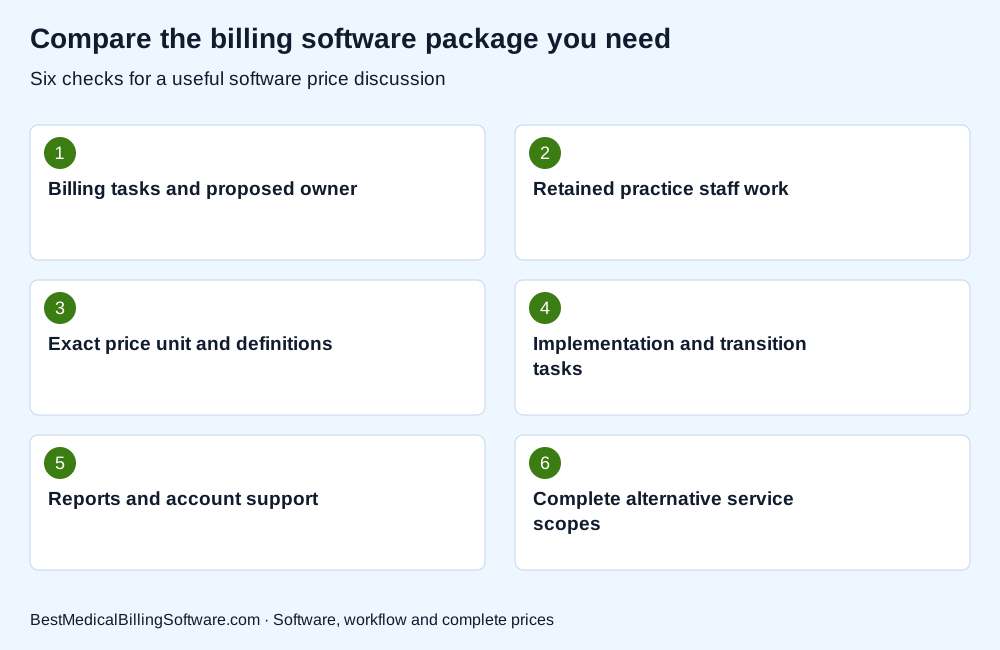
Use the checklist when comparing medical billing software subscription vs managed RCM. Put the company response beside each required item so your practice can compare software scope, retained work and complete charges clearly.
Compare reporting, service contacts and management oversight
Ask how the practice reviews billing activity and communicates with the people supporting it. Include the reports, definitions, account contacts and escalation route in the demonstration or service discussion. Keep software visibility separate from a promise of a particular collection result. The useful comparison explains what managers can see, which tasks the company performs and how questions are resolved. Review any service commitments in the proposal and identify work outside the ordinary package. This gives the practice an operating picture of both options, including the support relationship it will manage after selection.
Review AdvancedMD software and billing options for more detail on the company or product involved. Compare Software Prices for the package, interfaces and support your practice wants to buy.
Choose software or managed RCM using a matched service brief
Give the companies the same starting description of the practice, current billing work and desired changes. Ask them to identify the proposed scope, internal responsibilities, implementation and complete charges. If a company offers more than one model, keep the alternatives clearly labelled. Compare each against the work your team wants handled and the capacity it plans to retain. Choose the conversation that leads to a clear service fit. The final decision should let managers explain which people do the work, which tools they use and how the proposed arrangement is priced.
Medical billing software subscription vs managed RCM: a practice buying example
Imagine a practice with an experienced biller that mainly wants better follow-up tools, and another that wants a company to perform a broader billing workload. Their useful proposals may differ even when their provider counts match. Each practice should state the work it wants performed and compare the software, support or managed service against that requirement. This is a service-scope example, not a claim that either model produces a particular collection result or that one price basis is always lower.
Use medical billing software buying guide to prepare your next software discussion. Compare billing software prices for your practice with the relevant activity, implementation and retained-work requirements in one brief.
Questions about medical billing software subscription vs managed RCM
Is a managed RCM percentage a software subscription price?
Keep the proposed work and charging basis separate. A managed package can include service tasks that a software subscription leaves with your own team.
Can a practice compare both models before deciding?
Yes. Use the same starting requirements and ask companies to identify tools, performed work, retained responsibilities, implementation and complete charges for each alternative.
What if one company offers both software and managed RCM?
Request a separate scope and charging basis for each option. Compare the tools, performed billing work, retained practice tasks and support included in the two arrangements.
Choose medical billing software or managed RCM support
Choose between software and managed RCM by comparing the work your practice wants completed. Put the tools, team responsibilities, support and full charges together. A clear service brief helps managers compare useful options and select the arrangement that fits their billing operation.
Compare Software Prices — find software options and compare complete company prices for your practice.
Sources
Product information checked October 16, 2026. Company facts use the first-party references below. Buying examples and any explicitly hypothetical calculations are editorial tools, not vendor offers.
- AdvancedMD software and managed billing information: https://www.advancedmd.com/software-pricing/
- DrChrono software package scope: https://www.drchrono.com/pricing/