Medical Billing Software Migration Costs: Compare Records, Training and Access

Compare medical billing software migration costs by naming the records you need moved, the work each company performs and the access your practice will retain to earlier information. A new subscription price is only one part of changing software. Include extraction, conversion, checking, training and the first billing cycles so your team can compare the complete move before agreeing a start date.
Compare medical billing software prices for your practice. Describe the billing tools, current systems and support your team needs to make the software comparison useful.
Compare medical billing software migration by record type
Prepare a record inventory before requesting implementation prices. Include patient and provider master data, balances, open claims, payment information and other records the practice needs for the intended move. Identify where each item is stored and which company controls the export route. Keep the inventory at a category level during early comparison. Ask the new software company which record types it can receive and in what format. This turns a broad promise of migration into a concrete scope your billing staff can review before detailed data-transfer work begins.
Ready to explore software options? Compare Software Prices with the required billing work and current systems in the same request. Keep the proposed package and charging basis together when reviewing company responses.
Compare record export charges from the current software
Ask the current software company how the relevant records can be exported, which formats are available and what assistance or charges apply. Review the proposed timetable alongside any continuing access your practice needs. Include information stored outside the main billing application when it is part of the transition. Keep the response with your migration comparison rather than assuming the new company controls every source record. Your team should know who prepares each export, how it is delivered and which questions need resolving before the receiving software begins conversion work.
Compare migration services with the proposed software plan
DrChrono lists data migration in its implementation information and notes that the source format affects whether an additional fee applies. AdvancedMD publishes implementation and software information that buyers can review alongside package pricing. Use the internal company profiles to organize questions about the exact work under consideration. Ask each shortlisted company to identify the records, preparation, conversion and checking included in its proposal. Keep optional work and retained practice tasks visible. A named migration service becomes useful to the buyer when the deliverables and responsibilities are clear.
For the related buying decision, explore medical billing software buying guide. Then compare medical billing software companies and prices using a consistent description of the practice and the work you want the software to support.
Compare validation and open-claim work during migration
Ask how your staff will review the transferred information before the new workflow begins. Include a practical sample of balances, open claims and the reports used to compare the old and new position. Identify who resolves a mismatch and how the practice approves the result. Discuss work that continues during the transfer period so records do not become disconnected from ongoing billing. The buying comparison should explain the process and responsible people. Keep the intended checks alongside the migration scope and include the staff time your own practice will need to contribute.
Medical billing software migration costs comparison checklist
| Compare | Record from the software proposal |
|---|---|
| Record categories and source formats | Named package and required workflow |
| Current-system export work | Included work and retained staff task |
| Conversion and included services | Exact billing unit and conditions |
| Validation and approval tasks | Setup scope and responsible contact |
| Training and first-cycle support | Support route and ongoing charge |
| Earlier-record access and cost | Complete amount and next question |
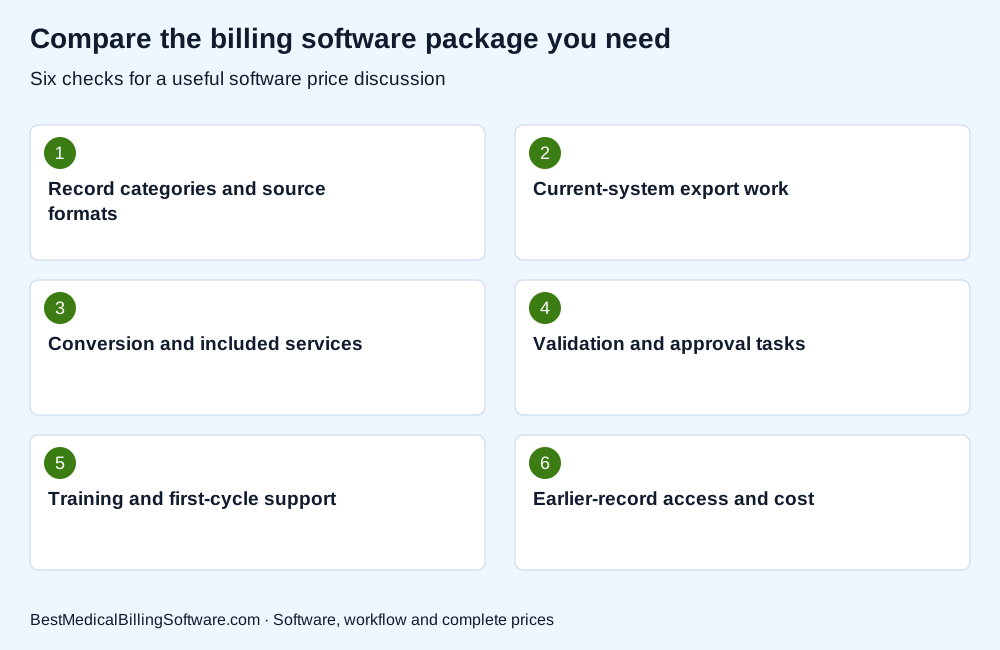
Use the checklist when comparing medical billing software migration costs. Put the company response beside each required item so your practice can compare software scope, retained work and complete charges clearly.
Compare training and earlier-record access costs
Request the training included for billers, managers and any other users affected by the change. Ask about format, session coverage and help during the first cycles. Identify continuing access to the old software or an archive when earlier records remain there. Add the relevant access, export or support amounts to the implementation budget. A migration comparison should show what staff will use after the change as well as what is technically transferred. This helps the practice assess the complete first-year move and the service contacts it will need when an older billing question arises.
Review DrChrono implementation and billing software for more detail on the company or product involved. Compare Software Prices for the package, interfaces and support your practice wants to buy.
Choose medical billing software with a complete migration proposal
Set out the export, conversion, review, training and access tasks in one plan. Ask the companies involved to identify their own work, assumptions and prices. Keep a clear internal owner for approvals and unresolved items. Compare software alternatives using the same intended record scope and starting position. If a company recommends a different migration approach, record it as a distinct option with its practical effect on staff work and access. Select the proposal your team can explain and operate, with a clear basis for agreeing when the new billing workflow is ready.
Medical billing software migration costs: a practice buying example
A practice moving open balances can request a category-level inventory and a fictional demonstration before sharing real records. In the final scope, it might choose to move selected active data while retaining earlier information in an agreed archive. The comparison should then show the receiving software work, export assistance, validation tasks and continuing archive access. This is an example of a possible buying decision, not a universal migration method. The companies and practice reviewers need to assess the actual records, responsibilities and proposed charges.
Use medical billing software cost to prepare your next software discussion. Compare billing software prices for your practice with the relevant activity, implementation and retained-work requirements in one brief.
Questions about medical billing software migration costs
Does a migration offer include every historical record?
Ask which record types, dates and formats the proposed service covers. Compare the transfer scope with the information your practice will retain elsewhere.
Can the current software charge for export assistance?
Request the applicable export process, support scope and amount from the current company. Include confirmed charges and continuing access in the overall changeover budget.
Should staff validation be included in the migration plan?
Yes. Identify who reviews the relevant records and reports, how mismatches are resolved and which approvals are needed before the new workflow is accepted.
Choose billing software with a complete record migration plan
Choose medical billing software with a migration plan your staff can follow. Compare the records, work, training and retained access alongside the subscription. A complete changeover proposal helps the practice assess the practical move and the full first-year commitment.
Compare Software Prices — find software options and compare complete company prices for your practice.
Sources
Product information checked October 16, 2026. Company facts use the first-party references below. Buying examples and any explicitly hypothetical calculations are editorial tools, not vendor offers.
- DrChrono implementation and migration conditions: https://www.drchrono.com/pricing/
- AdvancedMD software pricing and implementation context: https://www.advancedmd.com/software-pricing/