Medical Billing Software Claim Attachments: Compare the Complete Workflow

Medical billing software electronic claim attachments deserve a complete demonstration when supporting documents are part of your billing workload. Compare the document preparation, supported submission route, claim connection and staff follow-up together. The best medical billing software for this task should fit the attachment work your practice actually performs and explain the package it requires. Start with fictional claim examples that show ordinary and exception handling without exposing patient information.
Compare medical billing software prices for the tools and support your practice needs. Describe the current systems, relevant staff and required workflow to prepare a useful company comparison.
Compare electronic claim attachment requirements by workflow
List the attachment situations the billing team encounters and the documents involved. Identify the payer routes that matter to the practice and the point at which supporting information is requested. Ask each software company to describe the proposed process for those circumstances. Keep electronic submission, a portal upload and a manual follow-up as distinct workflows. The comparison should show the route your staff will use for the relevant task, including any preparation outside the billing system. This makes the requirement specific enough for a meaningful product demonstration.
Bring this requirement into your software shortlist. Compare Software Prices with the relevant users, current systems and required package in the same request. Ask each company to identify the proposed configuration and the complete charges for that work.
Compare billing software attachment preparation and claim matching
Ask the company to demonstrate adding a fictional document, identifying the related claim and checking that the correct material is attached. Include a correction or replacement so staff can see how an error is handled. Discuss accepted formats, relevant limits and any work required before upload. Ask where the team sees the connection between a document and its billing activity afterward. A useful demonstration follows the attachment beyond the file-selection screen, showing the context your billers need to understand what was sent and what remains to be done.
Compare attachment features with the named billing software plan
CollaborateMD lists electronic claim attachment features within its package comparison, including unlimited eClaim attachments in its Pro offering. That named plan detail is a useful question for a practice evaluating lower and higher tiers. Review the internal profile and ask which package supports the required attachment route, what included activity means and whether any separate service is involved. Keep the price and feature together. A company-wide feature list should lead to a package-specific explanation that your practice can use when comparing the complete subscription.
Explore medical billing software features for the related buying decision. Then compare medical billing software companies and prices for the specific workflow described here, keeping the package and conditions attached to each response.
Compare claim attachment status and billing staff follow-up
Ask what the user can see after submitting an attachment and which follow-up steps remain with the practice. Demonstrate an item needing attention and identify the person responsible for resolving it. Include how the team records a response or another request for information. Keep the status shown in software separate from the outcome of the claim. The buying question is whether the proposed tools give staff enough information to manage their next action, including cases that require work through another channel or contact with the relevant organization.
Medical billing software electronic claim attachments: proposal checklist
| Buying requirement | What to record from the company |
|---|---|
| Required claim and document scenarios | Named configuration and the work it performs |
| Supported submission route | Demonstrated steps and required staff action |
| Preparation and claim matching | Included product level and relevant conditions |
| Status and exception follow-up | User responsibility and support for exceptions |
| User access and supervision | Recurring unit plus any implementation charge |
| Required plan and extra charges | Accepted scope and next action before purchase |
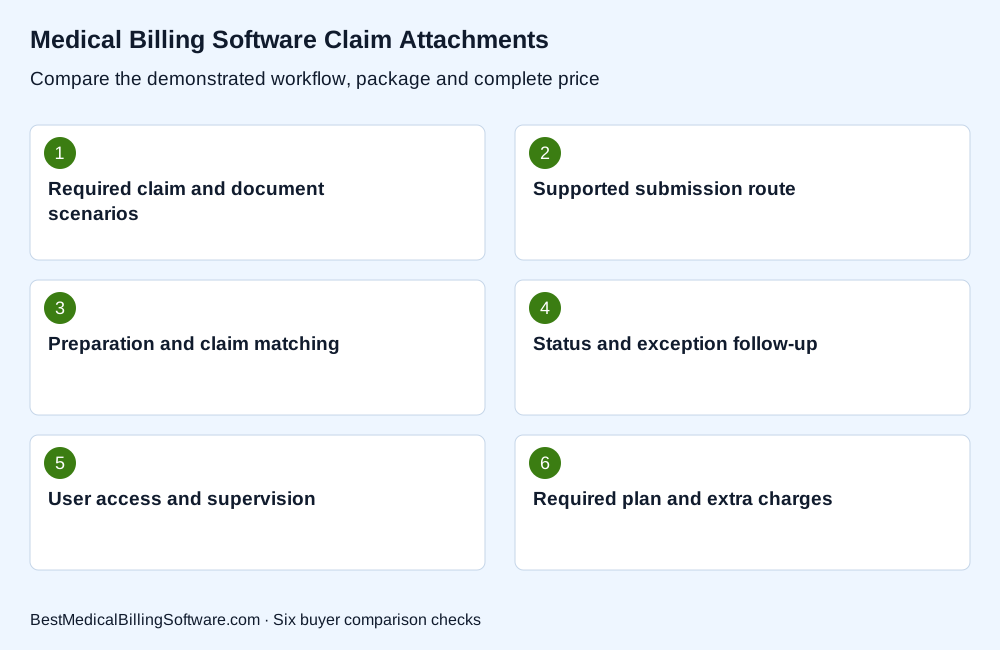
Use these requirements to compare medical billing software electronic claim attachments. Keep the company’s explanation beside each item, including the staff work and complete charge needed to operate the proposed arrangement.
Compare attachment permissions and document access
Describe which staff prepare, send and review supporting documents. Ask how access is granted and removed within the proposed configuration. Include the visibility supervisors need for reviewing completed work and exceptions. Use fictional information during the sales demonstration and arrange any later data review through the practice’s approved process. Compare the controls and administration tasks the company actually demonstrates. This keeps document handling within the wider account and workflow comparison, rather than assuming that an attachment button settles every access and management requirement.
Review CollaborateMD claim attachment packages for the company or product involved. Compare Software Prices with the required features, setup and support in view, so the response addresses the package your practice would actually buy.
Choose attachment software using a complete claim demonstration
Follow one fictional claim through document preparation, attachment selection, submission and follow-up. Ask the billing staff to identify the steps they would perform in daily work and the support route for a technical problem. Then compare the required plan, any separate charges and the time needed for setup. Keep the accepted workflow with the proposal. A useful purchase decision connects the attachment feature to the people, package and payer routes involved in ordinary billing, including a clearly described way to manage an item that needs another action.
Medical billing software electronic claim attachments: a practice comparison
A practice regularly sends supporting material for one class of claim and occasionally receives a later request for information. Prepare two fictional examples with blank or invented documents. Ask companies to demonstrate the initial submission and the later response, including staff ownership and any work outside the system. Record the required package and the next action visible to the biller. The comparison tests the actual attachment workflow instead of relying on a single feature checkbox.
Use medical billing software buying guide to prepare the related budget or workflow questions. Compare billing software prices for your practice with the relevant activity and required implementation in one brief. Keep the accepted scope available for the staff who will use the system.
Questions about medical billing software electronic claim attachments
Does an attachment feature cover every payer route?
Ask about the specific routes and tasks your practice needs. Keep the demonstrated process with the proposed software package.
Should attachment follow-up be shown in the demo?
Yes. Include an item requiring another action so the billing team can compare status information and responsibility.
Can I use real patient documents in an initial sales demo?
Use fictional examples for the initial comparison. Follow the practice’s approved process for any later review involving actual information.
Choose billing software for the claim attachments your team sends
The best medical billing software for your practice connects this requirement to a clear package, useful staff workflow and complete price. Review the demonstrated task with the people who will operate it, then keep the configuration, responsibilities and charges together when comparing company responses. A focused shortlist makes the next product discussion more useful and gives the owner a practical basis for choosing the tools and support the practice needs.
Compare Software Prices for your practice and the billing work you want the selected package to support.
Sources
Product information checked October 16, 2026. The buying scenarios describe fictional practice situations; any expressly invented prices illustrate arithmetic.
- CollaborateMD package-level attachment features: https://www.collaboratemd.com/pricing/