Medical Billing Software Denial Tools: Compare the Workqueue in a Demo

Compare medical billing software denial workqueues by following how your team receives, assigns, reviews and follows up a claim issue. A useful software demo shows the work after an item enters the queue, including the person responsible and the information needed to act. Give companies the same fictional billing scenario and compare the tools, support and prices for that workflow.
Compare medical billing software prices for your practice. Describe the billing tools, current systems and support your team needs to make the software comparison useful.
Plan a denial-workqueue demo around your billing team
Describe the current follow-up process at a practical level. Identify who reviews new items, assigns work, checks progress and reports outstanding activity. Choose a small fictional example that represents the kind of administrative work your practice handles. Ask the software company to show how its proposed package supports the process. Keep the demonstration focused enough to follow each step. The goal is a clear view of the software your staff will use and the work they retain, with the required features attached to the named version and company price under discussion.
Ready to explore software options? Compare Software Prices with the required billing work and current systems in the same request. Keep the proposed package and charging basis together when reviewing company responses.
Compare how denial work enters the medical billing queue
Ask where the workqueue item comes from and what information staff see when it arrives. Include the relationship to remittance information and the route to the underlying claim where applicable. Ask how the system distinguishes items that need different kinds of review. Use the proposed package rather than a broader demonstration environment when checking availability. Your team should be able to understand how ordinary follow-up work becomes visible, which details are available and what a biller must do next. Keep any manual preparation or data checking in the comparison.
Compare software assignment and follow-up responsibilities
Request a demonstration of assigning the fictional item to a staff member, recording work and passing it to another person when needed. Ask how supervisors see ownership and progress. Include a case that remains unresolved after the first action so the company can explain the continuing workflow. Keep the responsibilities clear: software tools organize work, while your team or a separately purchased service performs the actions described in the proposal. Compare the actual task sequence and management view with the process your practice wants, including the support available when a user needs help.
For the related buying decision, explore medical billing software features. Then compare medical billing software companies and prices using a consistent description of the practice and the work you want the software to support.
Compare denial tools with reporting and daily oversight
Ask the company to show how a supervisor reviews outstanding items and discusses the workload with staff. Include the reports, filters and export steps relevant to your practice. Request an explanation of what each displayed measure counts so your team can interpret the result. Keep operational visibility separate from an assumed improvement in collections. The buying comparison should show which information the proposed software makes available and how your staff will use it. Record any configuration or training needed to make those reports useful in the workflow you are evaluating.
Medical billing software denial workqueues comparison checklist
| Compare | Record from the software proposal |
|---|---|
| How follow-up work enters the queue | Named package and required workflow |
| Information shown to the biller | Included work and retained staff task |
| Task owner and reassignment | Exact billing unit and conditions |
| Recorded actions and next steps | Setup scope and responsible contact |
| Supervisor reports and definitions | Support route and ongoing charge |
| Included package and training | Complete amount and next question |
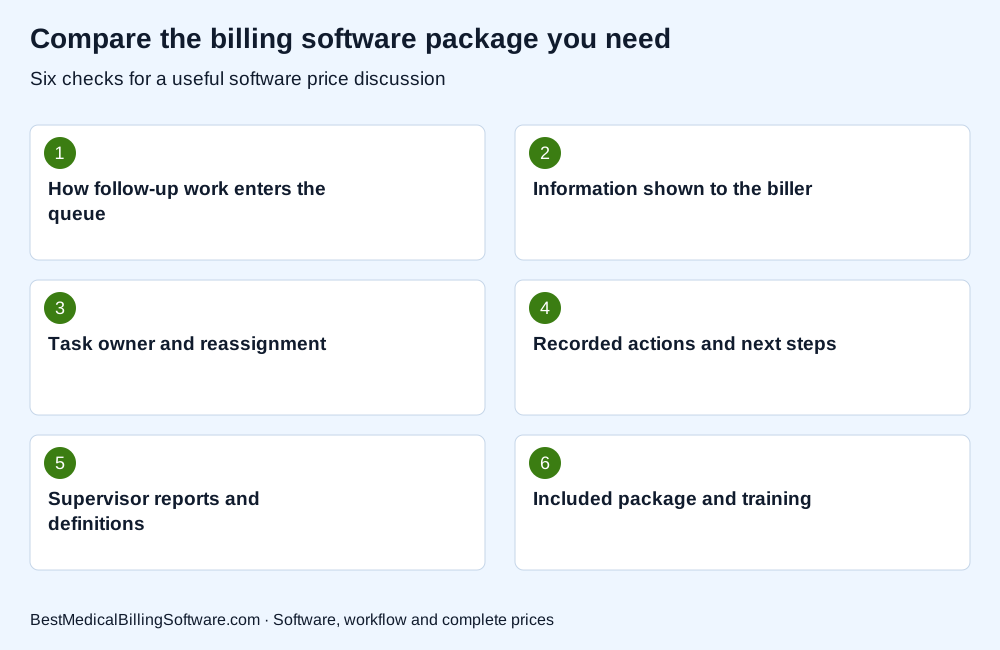
Use the checklist when comparing medical billing software denial workqueues. Put the company response beside each required item so your practice can compare software scope, retained work and complete charges clearly.
Compare denial-workqueue features with the full package price
Match the demonstrated tools to the written software scope. Ask which claim tracking, posting, follow-up or reporting functions are included and which use an optional package or service. CollaborateMD describes claim follow-up and ERA-related workflow features in its product information. Review the internal profile to prepare targeted questions about the proposed version. Add implementation and training work to the comparison where needed. A useful price response identifies the software your practice would receive, the work your staff retains and any separate company service rather than treating a broad feature list as a complete offer.
Review CollaborateMD claims and follow-up software for more detail on the company or product involved. Compare Software Prices for the package, interfaces and support your practice wants to buy.
Choose denial-management software using the same demo scenario
Ask the shortlisted companies to repeat the same fictional scenario from arrival to follow-up and supervisor review. Write down the important steps, permissions and retained actions. Include one exception such as missing information or a reassigned task. Then compare the package, support and complete price with the workflow your billing staff wants to operate. Your selection should help the team understand what changes after implementation and what still depends on its own procedures. Keep the demonstration notes with the proposed scope so the final software purchase answers the actual follow-up requirement.
Medical billing software denial workqueues: a practice buying example
For a practical demo, create a fictional follow-up item, assign it to a biller and ask the company to show a recorded action, an unresolved status and supervisor review. Keep real claim identifiers and patient records out of this initial exercise. Repeat the same steps with each company and identify optional features or setup work. This compares the workqueue your team will operate without treating a demonstration as evidence of a particular collection rate or promised financial outcome.
Use medical billing software buying guide to prepare your next software discussion. Compare billing software prices for your practice with the relevant activity, implementation and retained-work requirements in one brief.
Questions about medical billing software denial workqueues
Does a denial tool perform every follow-up task?
Ask which actions the software supports and who performs them. Compare software functions separately from any managed billing service included in a different proposal.
Should I compare promised collection improvements from a demo?
Use the demo to assess the actual workflow and included tools. A demonstration alone does not establish a financial result for your practice.
What makes a useful denial-workqueue scenario?
Follow a fictional item through assignment, action, unresolved status and supervisor review. Give each company the same starting point and compare the retained work.
Choose billing software denial tools for your workqueue
Choose medical billing software denial tools by following the work your staff needs to complete. Compare the queue, permissions, reports and support with the proposed package price. A focused demonstration gives the practice a concrete basis for choosing billing software.
Compare Software Prices — find software options and compare complete company prices for your practice.
Sources
Product information checked October 16, 2026. Company facts use the first-party references below. Buying examples and any explicitly hypothetical calculations are editorial tools, not vendor offers.
- CollaborateMD claims and workflow information: https://www.collaboratemd.com/pricing/
- DrChrono claim management and ERA features: https://www.drchrono.com/pricing/