Billing-Only Medical Software: Compare Costs While Keeping Your EHR

Compare billing-only medical software with an existing EHR by following the information that must move between clinical records and billing. Keeping an EHR can preserve a familiar clinical workflow while changing the billing tools your staff uses. The buying question is the complete arrangement: software scope, supported connection, retained costs, implementation and the support available when data needs attention.
Compare medical billing software prices for your practice. Describe the billing tools, current systems and support your team needs to make the software comparison useful.
Compare billing-only software with the EHR you will retain
Identify the exact EHR product and version your practice intends to keep. List the work you want the new billing software to perform, such as charge entry, claims, payment posting, follow-up and reporting. Separate that work from scheduling or other functions already handled elsewhere. Ask the software company to describe the proposed billing configuration for this starting point. Keep the named EHR and required workflow in the comparison request so the response addresses your actual arrangement, including the parts that remain with the current clinical system and its support team.
Ready to explore software options? Compare Software Prices with the required billing work and current systems in the same request. Keep the proposed package and charging basis together when reviewing company responses.
Compare EHR interfaces by the information exchanged
Ask what information travels through the proposed connection and in which direction. Discuss patient registration, appointments, charges, updates and any information the billing team needs returned to the EHR. Identify the review or staff entry still required. Request a demonstration using fictional information and include a correction, not just the first successful transfer. This gives your team a useful picture of the ordinary workflow and the exception process. Compare the specific interface scope with the tasks your practice wants handled, rather than treating the presence of a connection as the entire solution.
Compare billing-only software using verified interface options
CollaborateMD describes preferred-partner EHR interfaces and separately scoped connection options. RXNT offers software modules as well as an integrated suite. These product structures create different questions for a practice retaining its EHR. Explore the internal profiles and ask about the named system, required information and proposed package. Keep any interface price or included-service condition attached to the specific connection. The useful company comparison shows how the billing software will work with the clinical tools your practice already uses and which setup tasks are needed before staff begin working.
For the related buying decision, explore medical billing software features. Then compare medical billing software companies and prices using a consistent description of the practice and the work you want the software to support.
Compare retained EHR costs with billing software prices
Build the cost picture around both systems. Include the EHR subscription your practice will continue paying, the proposed billing subscription, connection setup and any recurring interface support. Identify services currently bundled with the EHR that could change when billing moves. Ask which support work each company includes and whether additional training is required. Then compare this retained-EHR arrangement with any integrated alternative on a complete basis. Your practice is choosing the tools and service relationships it will operate together, so the budget should show all of those continuing commitments.
Billing-only medical software with an existing EHR comparison checklist
| Compare | Record from the software proposal |
|---|---|
| Named EHR and billing scope | Named package and required workflow |
| Information moving in each direction | Included work and retained staff task |
| Interface setup and maintenance | Exact billing unit and conditions |
| Retained EHR subscriptions | Setup scope and responsible contact |
| Correction and support ownership | Support route and ongoing charge |
| Validation and staff training | Complete amount and next question |
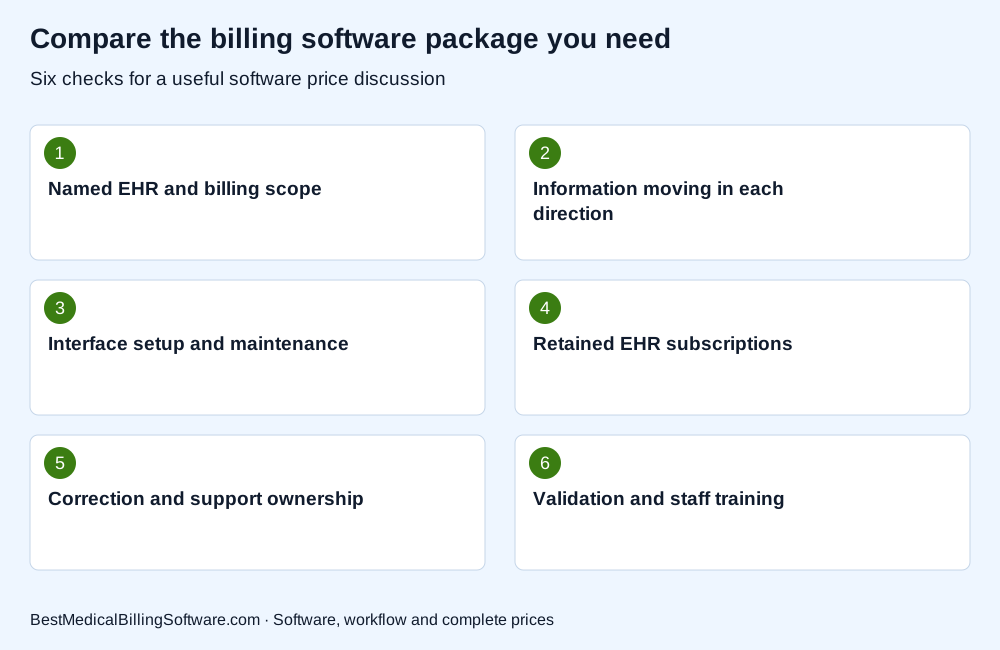
Use the checklist when comparing billing-only medical software with an existing EHR. Put the company response beside each required item so your practice can compare software scope, retained work and complete charges clearly.
Compare support when clinical and billing data need correction
Ask who receives a report when a record fails to transfer or appears differently in the two systems. Discuss how the software companies coordinate an investigation and what information your practice supplies. Identify the internal person who follows up and the route for resolving an urgent billing issue. Include the conditions for interface maintenance after an update. A useful support comparison follows one problem from discovery to correction, explaining the people involved and the retained work. Keep that service description beside the interface scope and price in your shortlist.
Review CollaborateMD EHR interface options for more detail on the company or product involved. Compare Software Prices for the package, interfaces and support your practice wants to buy.
Choose billing software with a workable retained-EHR plan
Review the proposed arrangement with both clinical and billing staff. Ask whether the required data, approvals and support contacts are clear. Include a plan for validation, training and the first billing cycles. If a company recommends replacing more of the platform, ask it to explain the additional work and the complete service price. Compare the options using the same practice requirements. Choose the software relationship that gives your billing team the tools it needs while making the continuing EHR connection understandable and manageable for the staff who will use it.
Billing-only medical software with an existing EHR: a practice buying example
Imagine a practice that wants to retain its clinical records system but improve claim follow-up. It can ask billing software companies to demonstrate how a fictional completed visit becomes a claim and how a later correction reaches the appropriate record. The practice should also list the EHR subscription and support it will retain. This creates a comparison of the combined operating arrangement, including interface work and staff responsibilities. Any assumed savings need actual prices and a reviewed implementation scope before they become part of the buying decision.
Use medical practice management software to prepare your next software discussion. Compare billing software prices for your practice with the relevant activity, implementation and retained-work requirements in one brief.
Questions about billing-only medical software with an existing EHR
Does a billing-only product work with every EHR?
Ask about the exact system and information flow your practice needs. Use the company’s current interface documentation and proposed setup scope to assess the connection.
Should I compare interface support as a separate item?
Identify setup and continuing support in the proposal, even when an amount is included. Ask who maintains the connection and how corrections are handled.
Is keeping the current EHR automatically cheaper?
Compare retained subscriptions, billing software, interfaces, implementation and staff work together. The total depends on the actual packages your practice would operate.
Choose billing-only software for your existing EHR
Choose billing-only medical software by reviewing the complete connection to your existing EHR. Keep the workflow, retained costs and support contacts together. That gives your practice a practical comparison of the systems and people it will rely on after the change.
Compare Software Prices — find software options and compare complete company prices for your practice.
Sources
Product information checked October 16, 2026. Company facts use the first-party references below. Buying examples and any explicitly hypothetical calculations are editorial tools, not vendor offers.
- CollaborateMD interface and package information: https://www.collaboratemd.com/pricing/
- RXNT modular software information: https://www.rxnt.com/pricing/