Medical Billing Software ERA Auto-Posting: Compare Exceptions and Controls

Medical billing software ERA auto-posting should be compared through a full remittance workflow, including the items staff must review. The best medical billing software for payment posting gives your team a clear way to understand the result, resolve exceptions and reconcile the work. Ask companies to demonstrate an ordinary remittance and one requiring attention, then price the package and services that support both situations.
Compare medical billing software prices for the tools and support your practice needs. Describe the current systems, relevant staff and required workflow to prepare a useful company comparison.
Compare ERA auto-posting from receipt to account review
Ask how the proposed software receives an electronic remittance and how staff identify the related work. Follow the file into the posting process and review the account result. Include the information the biller sees before and after the action. Identify any enrollment, setup or companion service needed for the proposed arrangement. A useful demonstration connects the remittance to the billing workflow your staff will operate. It should make clear which steps happen in the software, which require staff approval and where a user checks that the intended activity is complete.
Bring this requirement into your software shortlist. Compare Software Prices with the relevant users, current systems and required package in the same request. Ask each company to identify the proposed configuration and the complete charges for that work.
Compare ERA posting rules and adjustment review
Use a fictional payment containing adjustments that matter to your ordinary workflow. Ask the company to show how the proposed configuration handles them and how staff review the result. Discuss who maintains relevant settings and what support is available during setup. Keep the demonstration specific to the package being priced. The practice needs to understand the decisions its team will make, including a way to check and correct work when necessary. A clear rule explanation helps compare the posting feature without treating every remittance line as an identical task.
Compare named ERA features with the complete software package
CollaborateMD lists unlimited ERA auto-posting in its Core package. DrChrono includes payment and ERA workflows within its medical billing product information. Use those product descriptions to prepare package-specific questions, then ask companies to demonstrate the required workflow. Keep the proposed plan, relevant services and charges visible together. An included feature should be understood alongside setup, access, exception handling and retained staff work. Your team is comparing a usable posting arrangement, not simply the presence of an automatic function in a broader product description.
Explore medical billing software reporting features for the related buying decision. Then compare medical billing software companies and prices for the specific workflow described here, keeping the package and conditions attached to each response.
Compare ERA exceptions and billing team ownership
Ask the company to show a remittance item that does not complete through the ordinary route. Identify how staff notice it, who takes responsibility and how the next action is recorded. Include a supervisor reviewing unfinished work. The demonstration should explain the difference between receiving a remittance, completing posting and resolving an account question. Compare the information your billers can use to finish the task. This helps the practice assess the day-to-day workflow around automation, including the retained work that affects staffing and support needs.
Medical billing software ERA auto-posting: proposal checklist
| Buying requirement | What to record from the company |
|---|---|
| Receipt and enrollment requirements | Named configuration and the work it performs |
| Posting and adjustment workflow | Demonstrated steps and required staff action |
| Package-level ERA inclusion | Included product level and relevant conditions |
| Exception ownership and next action | User responsibility and support for exceptions |
| Totals and correction review | Recurring unit plus any implementation charge |
| Setup training and full charges | Accepted scope and next action before purchase |
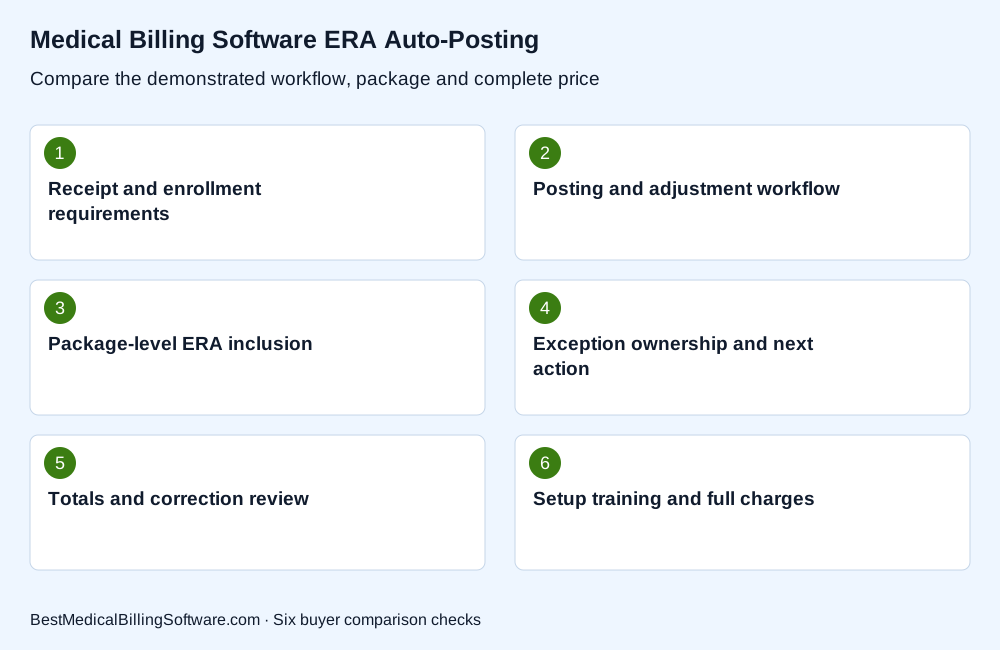
Use these requirements to compare medical billing software ERA auto-posting. Keep the company’s explanation beside each item, including the staff work and complete charge needed to operate the proposed arrangement.
Compare ERA totals with payment reconciliation reports
Follow the proposed posting result into the report your team would use for checking totals. Ask which date, account and payment categories the report includes. Demonstrate a correction and explain how it appears in the review. Keep the software posting total separate from other financial records until the relevant scope has been reconciled. The comparison should give managers a practical view of the tools available for their own checking process, including exports or additional work required. Record any reporting features that require a different plan or configuration.
Review CollaborateMD ERA auto-posting features for the company or product involved. Compare Software Prices with the required features, setup and support in view, so the response addresses the package your practice would actually buy.
Choose ERA auto-posting using ordinary and exception examples
Give each company the same fictional remittance scenarios and required reporting task. Ask the billing team to evaluate the posting result, exception route and management review together. Then compare the named package, setup, training and complete charges. Keep the accepted workflow documented with the proposal so the practice can plan implementation around its actual responsibilities. The useful software choice supports the way your team will handle both routine payments and unfinished work, with a clear support route when a technical question interrupts that process.
Medical billing software ERA auto-posting: a practice comparison
A billing manager prepares two fictional remittance examples: one with ordinary payment lines and another with an item requiring review. Ask the company to show the account result, work still waiting and a report for checking the completed posting. Have a second user identify the unfinished item without relying on the demonstrator’s explanation. This tests the visibility and handoff your staff will need when ERA posting becomes part of ordinary daily work.
Use medical billing software cost to prepare the related budget or workflow questions. Compare billing software prices for your practice with the relevant activity and required implementation in one brief. Keep the accepted scope available for the staff who will use the system.
Questions about medical billing software ERA auto-posting
Does auto-posting remove all payment review?
Compare the actual workflow and retained staff tasks. Ask the company to demonstrate both an ordinary result and an exception.
Should the demonstration include a correction?
Yes. Your team should understand how a correction is made and how it appears in the relevant account and reporting views.
How should ERA software prices be compared?
Use the required plan, included activity, setup and reporting scope together. Ask about any separately priced service the workflow needs.
Choose ERA posting software with clear exception handling
The best medical billing software for your practice connects this requirement to a clear package, useful staff workflow and complete price. Review the demonstrated task with the people who will operate it, then keep the configuration, responsibilities and charges together when comparing company responses. A focused shortlist makes the next product discussion more useful and gives the owner a practical basis for choosing the tools and support the practice needs.
Compare Software Prices for your practice and the billing work you want the selected package to support.
Sources
Product information checked October 16, 2026. The buying scenarios describe fictional practice situations; any expressly invented prices illustrate arithmetic.
- CollaborateMD ERA package inclusion: https://www.collaboratemd.com/pricing/
- DrChrono billing and remittance workflow: https://www.drchrono.com/pricing/